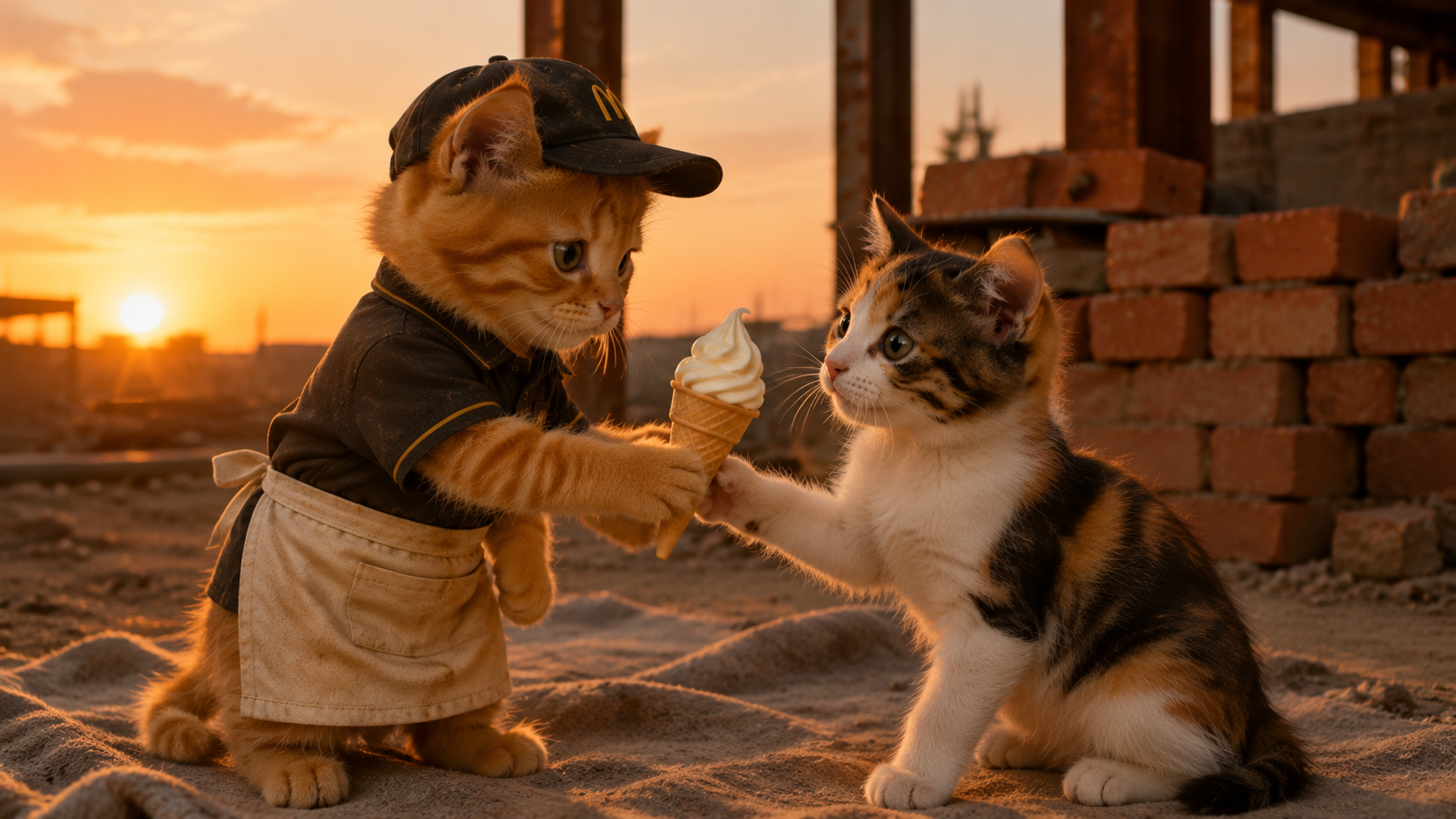
About the The Kitten's Reward
Ever wondered what it's like to juggle a demanding job and a sweet gesture? Follow a determined kitten as he hustles through his fast-food shift, all while dreaming of a special delivery. But with the clock ticking and unexpected challenges, will he make it to his partner at the construction site with the perfect treat? Can love truly conquer all, even a busy work schedule?
Video script prompt
Title: My Human Has Separation Anxiety Duration: 60 seconds Aspect Ratio: 9:16 Style: Realistic 3.0 Language: English Character: Golden Retriever (adult), wearing headphones, sitting at a podcast desk with a microphone. Warm, professional podcast room setting. Tone: Serious, deadpan, gentle roast. Fast hook + continuous examples + final punchline twist. Scene Breakdown 0s - 4s: Opening Hook The Golden Retriever sits at the podcast desk, wearing headphones, facing the microphone with a serious expression. Dialogue: "People keep saying dogs have separation anxiety." (Pause, leans forward slightly) "I think my human has it." 4s - 12s: Evidence #1 Dialogue: "Every morning, he says goodbye like he's leaving for war. It's a job, Kevin. You work fifteen minutes away." 12s - 22s: Evidence #2 The dog raises one paw as if making a point. Dialogue: "Then he checks the pet camera at work... to watch me do absolutely nothing. I'm asleep, Kevin." 22s - 34s: Evidence #3 The dog tilts its head, mimicking the owner's tone. Dialogue: "At noon, he sends me voice messages. 'Hey buddy, miss you so much.'" (Looks at camera, deadpan) "Sir... I cannot open the app." 34s - 46s: Evidence #4 (Climax) The dog leans closer to the microphone. Dialogue: "And when he gets home? He drops his bag, runs across the room, and hugs me like I came back from the moon. I was here the whole time." 46s - 56s: Core Conclusion Dialogue: "I'm not the one with separation anxiety. I take naps, stretch, maybe judge a squirrel. He's the one crying over office Wi-Fi because the pet cam froze." 56s - 60s: Final Punchline The dog sits up straight, looking directly at the camera with a calm, final-judgment tone. Dialogue: "And somehow... I'm the emotional one?" Slow blink. End.
How to use this Cartoon video template
Template Name: The Kitten's Reward
Step 1
Click the "Use Template" button to load the "The Kitten's Reward" preset.
Step 2
Review the default settings. This template is pre-configured with the seedance1_5pro model and Realistic Cinema style. Click "Run Script" to generate your initial draft.
Step 3
Enter your scene description in the text box. The One-Click engine is powered by seedance1_5pro to interpret complex prompts instantly. Toggle the Directing Modes if you need specific camera movements.
Step 4
Browse the Video Style carousel to pick a look. Ensure your Aspect Ratio is set correctly (16:9) for your target platform.
Step 5
Hit the "Create Video" button. The AI will process your script and style simultaneously to deliver a finished video.
The Kitten's Reward Video Template
Start to use this template
Template Specifications
Frequently Asked Questions
What kind of cartoons can I create with Magiclight?
You can create short animated stories, funny clips, and character-driven scenes using Magiclight's cartoon templates. Styles range from classic 2D animation to stylized digital cartoons.
Do I need animation experience to use these templates?
No experience is needed. Magiclight's cartoon templates are pre-built with animations, characters, and backgrounds, so you can create videos in minutes.
Can I customize characters and scenes in cartoon templates?
Yes! You can edit characters, change colors, add props, and adjust backgrounds to fit your story.
Are cartoon templates suitable for social media posts?
Absolutely. They are optimized for TikTok, Instagram Reels, YouTube Shorts, and more.
Can I add my own voiceovers to cartoon videos?
Yes. Magiclight allows you to add voiceovers, music, or sound effects to bring your cartoon to life.
You might also like
these trending designs