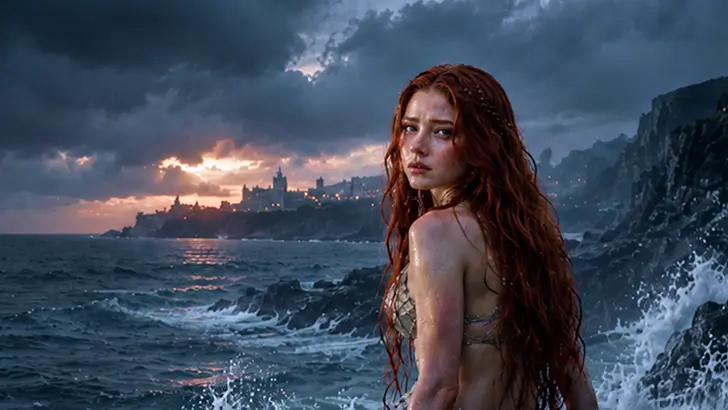
About the Snow White's Tale
Once upon a time, there was a princess with skin as white as snow, lips as red as blood, and hair as black as ebony. Her stepmother, the evil queen, learns from her magic mirror that Snow White is now the fairest of them all and plots to end her life. When Snow White flees into the forest, she finds refuge with seven dwarfs. But the queen's envy knows no bounds. What happens when the queen finds her?
Video script prompt
[{"content":"很久很久以前,有一位美丽的公主。","idx":1},{"content":"她的皮肤像雪一样白皙,嘴唇像血一样鲜红,头发像檀香木一样黑亮。","idx":2},{"content":"所以人们都叫她白雪公主。","idx":3},{"content":"她的继母是位邪恶的王后,拥有一面魔镜。","idx":4},{"content":"每天,王后都会问魔镜:“魔镜魔镜,谁是世界上最美丽的女人?”","idx":5},{"content":"魔镜总是回答:“我的王后,您是。”","idx":6},{"content":"但是当白雪公主长大后,魔镜回答说:“王后,您很美丽,但是白雪公主比您更美丽。”","idx":7},{"content":"嫉妒的王后命令猎人将白雪公主带到森林里杀死她。","idx":8},{"content":"猎人很同情她,就让公主逃走了。","idx":9},{"content":"白雪公主在森林里迷路了,发现了一间小木屋。","idx":10},{"content":"屋子里住着七个小矮人,他们好心地收留了她。","idx":11},{"content":"然而,王后从魔镜那里得知白雪公主还活着。","idx":12},{"content":"于是她把自己伪装成一个老妇人,哄骗白雪公主吃了一个有毒的苹果。","idx":13},{"content":"白雪公主吃下苹果后倒在地上,无法起身。","idx":14},{"content":"小矮人们非常悲痛,把她放在一个玻璃棺材里。","idx":15},{"content":"一位路过的王子被她的美貌所吸引,轻轻地吻了她。","idx":16},{"content":"奇迹发生了,白雪公主醒了过来。","idx":17},{"content":"王子带她回到他的王国,他们幸福地生活在一起。","idx":18}]
How to use this Cartoon video template
Template Name: Snow White's Tale
Step 1
Click the "Use Template" button to load the "Snow White's Tale" preset.
Step 2
Review the default settings. This template is pre-configured with the magiclight 2.0 model and Pixar 2.0 style. Click "Run Script" to generate your initial draft.
Step 3
Enter your scene description in the text box. The One-Click engine is powered by magiclight 2.0 to interpret complex prompts instantly. Toggle the Directing Modes if you need specific camera movements.
Step 4
Browse the Video Style carousel to pick a look. Ensure your Aspect Ratio is set correctly (16:9) for your target platform.
Step 5
Hit the "Create Video" button. The AI will process your script and style simultaneously to deliver a finished video.
Snow White's Tale Video Template
Start to use this template
Template Specifications
Frequently Asked Questions
What kind of cartoons can I create with Magiclight?
You can create short animated stories, funny clips, and character-driven scenes using Magiclight's cartoon templates. Styles range from classic 2D animation to stylized digital cartoons.
Do I need animation experience to use these templates?
No experience is needed. Magiclight's cartoon templates are pre-built with animations, characters, and backgrounds, so you can create videos in minutes.
Can I customize characters and scenes in cartoon templates?
Yes! You can edit characters, change colors, add props, and adjust backgrounds to fit your story.
Are cartoon templates suitable for social media posts?
Absolutely. They are optimized for TikTok, Instagram Reels, YouTube Shorts, and more.
Can I add my own voiceovers to cartoon videos?
Yes. Magiclight allows you to add voiceovers, music, or sound effects to bring your cartoon to life.
You might also like
these trending designs