About the Buffalo Rescue
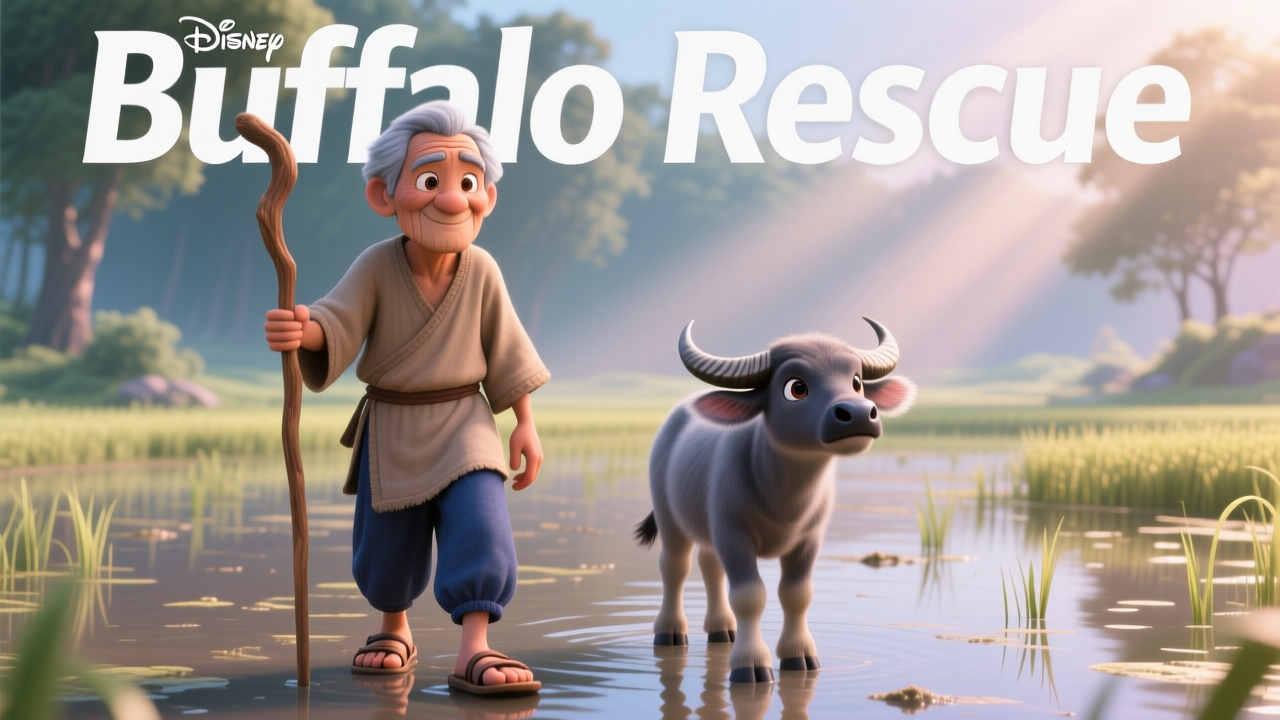
A buffalo's distress call echoes as her calf lies still in the paddy. An old man approaches, his touch gentle, his purpose clear. Can his kindness revive the little one? Witness a touching rescue and a bond renewed. What does this moment reveal about the connection between humans and animals?
Video script prompt
A water buffalo bellowed in distress, its large head nudging a small calf lying motionless in the murky water of a rice paddy. The calf remained unresponsive, its still form a silent testament to its plight. Suddenly, the distressed buffalo bolted, splashing through the water, only to turn back as an old man, leaning on a staff, approached along the muddy path. The man paused to gently stroke the buffalo's head, offering quiet reassurance before moving towards the helpless calf. Kneeling beside the tiny creature, the man began to rub its body, his hands moving with gentle persistence. Slowly, miraculously, the calf stirred, then pushed itself up to a sitting position. With a tender embrace, the man lifted the calf into his arms, holding it close. The little one, now revived, affectionately nuzzled against its rescuer. Smiling broadly, the man carefully set the calf back down on the earth. It tottered, then found its footing, standing once more beside its mother, a picture of renewed life and a bond restored.
How to use this Cartoon video template
Template Name: Buffalo Rescue
Step 1
Click the "Use Template" button to load the "Buffalo Rescue" preset.
Step 2
Review the default settings. This template is pre-configured with the magiclight_3_lite model and Disney 3.0 style. Click "Run Script" to generate your initial draft.
Step 3
Enter your scene description in the text box. The One-Click engine is powered by magiclight_3_lite to interpret complex prompts instantly. Toggle the Directing Modes if you need specific camera movements.
Step 4
Browse the Video Style carousel to pick a look. Ensure your Aspect Ratio is set correctly (16:9) for your target platform.
Step 5
Hit the "Create Video" button. The AI will process your script and style simultaneously to deliver a finished video.
Buffalo Rescue Video Template
Start to use this template
Template Specifications
Frequently Asked Questions
What kind of cartoons can I create with Magiclight?
You can create short animated stories, funny clips, and character-driven scenes using Magiclight's cartoon templates. Styles range from classic 2D animation to stylized digital cartoons.
Do I need animation experience to use these templates?
No experience is needed. Magiclight's cartoon templates are pre-built with animations, characters, and backgrounds, so you can create videos in minutes.
Can I customize characters and scenes in cartoon templates?
Yes! You can edit characters, change colors, add props, and adjust backgrounds to fit your story.
Are cartoon templates suitable for social media posts?
Absolutely. They are optimized for TikTok, Instagram Reels, YouTube Shorts, and more.
Can I add my own voiceovers to cartoon videos?
Yes. Magiclight allows you to add voiceovers, music, or sound effects to bring your cartoon to life.
You might also like
these trending designs